
Modules
Evolve ships as one Composer package, racerfish/evolve. The core is always on: pages, blocks, media, navigation, forms, settings and the panel itself. Everything else is a module: a directory in the package with its own service provider, configuration, migrations, panel screens, frontend routes and blocks. A project does not install modules, it switches them on and off.
The modules in 2.16
| Module | Key | Default | Adds |
|---|---|---|---|
| Blog | blog | on | posts and categories, a posts block, news detail pages |
| Company | company | on | members, teams and jobs, three blocks, JobPosting structured data |
| Events | event | on | events with registration, participants and ICS download |
| FAQ | faq | on | questions with categories and a FAQ block |
| Locator | locator | on | locations and regions, a store finder block and a map block |
| Projects | project | on | projects with categories and detail pages |
| Scout24 | scout24 | on | AutoScout24 vehicle listings, marketplace and search blocks |
| Shopify | shopify | on | products, collections, cart and checkout against Shopify stores |
| Email campaigns | email | off (since 2.22) | newsletter campaigns with a Brevo push and the Brevo contact sync; the mail templates for form mails are core |
| MCP Server | mcp | on | an MCP server for AI clients, stdio and HTTP |
| AI chatbot | ai-chatbot | off | a chatbot on the site, built on laravel/ai |
| Regions | region | off | country-based content variants (a core feature behind a module switch) |
| Media Governance | media-governance | off | approval workflow, rights levels and IPTC prefill for the media library (2.22) |
| Devtools | devtools | on | developer tools, the logs disk for the log viewer |
"Default" is the value in the package's core/config/evolve.php. A project that published config/evolve.php can differ, check the project file.
Switching a module on or off
A module's switch is evolve.modules.<key>. Three places set it, the first that applies wins:
- The
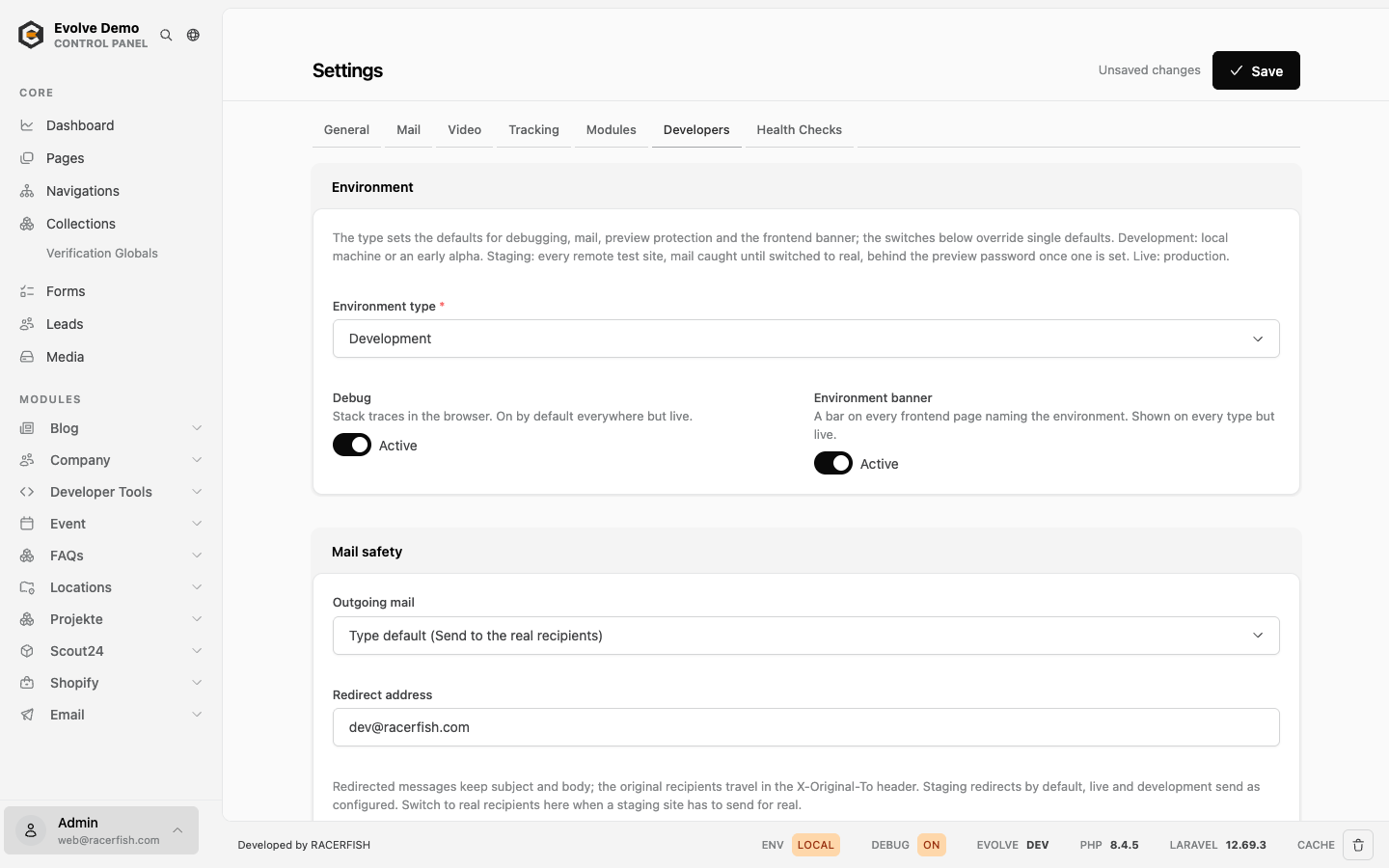
.env.EVOLVE_MODULE_<KEY>=trueorfalse. The key is upper case, hyphens become underscores:EVOLVE_MODULE_AI_CHATBOT=true. Since 2.21 this works for every installed module, also one the project'sconfig/evolve.phpdoes not list. The module switches in the panel's Developers tab (Settings, visible to the developer role) write exactly these variables, so an edit in the panel and an edit in the file are the same thing. - The project's
config/evolve.php, if it was published, undermodules. - The default. Without a published
config/evolve.php, the table above. A published file replaces the package'smoduleslist as a whole, so a module missing from it falls back to the module's own default, which can differ from the table (MCP is off by its own default).
A module that runs on its default changes with the default. The module_switches health check (2.21) names every module nothing switches; set those switches explicitly, in the .env or in the Developers tab. New installs get every switch written into the .env by php artisan evolve:install. The email default changed in 2.22: the module is off unless a switch turns it on, because its form mail templates became part of the core. Sites with newsletters or the contact sync set EVOLVE_MODULE_EMAIL=true.
The switches are applied while the configuration is built, so they are part of a cached config. After changing a switch in a server .env by hand, rebuild the cache with php artisan config:cache, which the deploy does anyway. The panel rebuilds it when you save.
What happens when a module is off
The module's service provider returns before it registers anything. There is no config merge, no migrations, no routes, no panel entry, no Livewire components and no blocks. The module's database tables stay as they are, so switching a module off and on again loses nothing. Two consequences to know:
- A page that contains one of the module's blocks renders an
evolve:missing-blockHTML comment in place of the block (since 2.6). In local development the block reports itself as missing. - The module's migrations only load while the module is on. After enabling a module for the first time on an environment, run
php artisan migrate(the deploy does this).
Modules with requirements
The MCP server needs laravel/mcp, the AI chatbot needs laravel/ai. Evolve suggests both packages but does not require them (since 2.21), so a project that uses one of these modules requires its package itself, for example composer require laravel/mcp. When the package is missing, the module stays off even if its switch is on. The health endpoint then reports it with active: false and the missing package, and the module switches health check warns until the package is installed or the module is switched off. Scout24, Shopify and the locator need vendor credentials, see their pages.
Who can open a module
Every panel route a module registers runs behind the role middleware, with the roles from evolve.roles.modules.<key>. Without an entry, evolve.roles.modules.* applies; without that, every logged-in panel user can open the module. The sidebar hides what a user cannot open. The lists are project code in config/evolve.php, not .env variables. Roles has the resolution rules and a worked example.
What a module brings to the panel
When a module registers itself, the panel gains:
- a sidebar entry and its screens under
/evolve/<key>/...; - Cmd-K commands for its views and for creating a record, in the command palette (since 2.15);
- its models in the global search, where the module declares them searchable;
- its settings in the Settings screen, for example
BLOG_OVERVIEW_PAGEorSCOUT24_MEMBER_ID. These are plain.envkeys the panel edits for you, not database settings; - its translations for the frontend.
Blocks, list pages and detail pages
Modules bring content to the site in three ways.
Blocks. A module's blocks (for example the posts block or the store finder) appear in the block picker as soon as the module is on, and they render from the module's own views without a vendor:publish (since 2.6). Publish the views only to change them.
Detail pages. Records such as posts, members, events, projects and vehicles are routeable: each gets a URL under the module's prefix, /{locale}/news/{slug} for a post or /{locale}/project/{slug} for a project. Some modules let a project switch detail pages off (EVENT_ALLOW_ROUTEABLE, PROJECT_ALLOW_ROUTEABLE), and some ship with them off (company members, FAQs, locations).
List pages and the overview page setting. Most modules have a built-in list route such as /{locale}/blog. The usual setup is different: you create a CMS page, place the module's list block on it, and point the module to that page with its overview page setting (BLOG_OVERVIEW_PAGE, PROJECT_OVERVIEW_PAGE, FAQ_OVERVIEW_PAGE, JOBS_OVERVIEW_PAGE, TEAM_OVERVIEW_PAGE, MEMBER_OVERVIEW_PAGE). The setting holds the page's ID and is edited in the panel's Settings screen. With an overview page set, the module's built-in list route redirects to that page, and the module's "back to the list" links point there. Without one, the built-in list route renders the module's own list view, and if the module has no such route the records only appear through blocks and detail pages.
Publishing module files
Each module offers vendor:publish tags. <key>.config publishes its config to config/<key>.php, <key>.components publishes its block definitions to config/components/ and, for most modules, views and Livewire components into the project. Several modules add <key>.blueprints for their blueprint classes into app/Blueprints. Published copies stop following the package: a module view you published has to be compared by hand after an update, because evolve:view-overrides only covers core views. The tags per module and the target paths are listed in Publishing and Overriding Package Files.
Demo content
php artisan evolve:demo seeds demo records for every enabled module into an install, plus a Kitchen Sink page with one block per blueprint. In the package repository, vendor/bin/testbench workbench:build does the same for the standalone workbench.
Verifying
php artisan route:list --path=evolve/<key>lists the module's panel routes, each carrying therole:middleware that applies. Nothing is listed for a module that is off.- The panel sidebar shows the module to a user with access.
- Over MCP, the
list-modulestool returns the enabled modules. php artisan evolve:env:show liveshows theEVOLVE_MODULE_*lines of a remote environment,evolve:env:diffcompares them across environments.